Sample output
See what you get
Real PDFs generated by DocGen. Professional enough to send to any client.
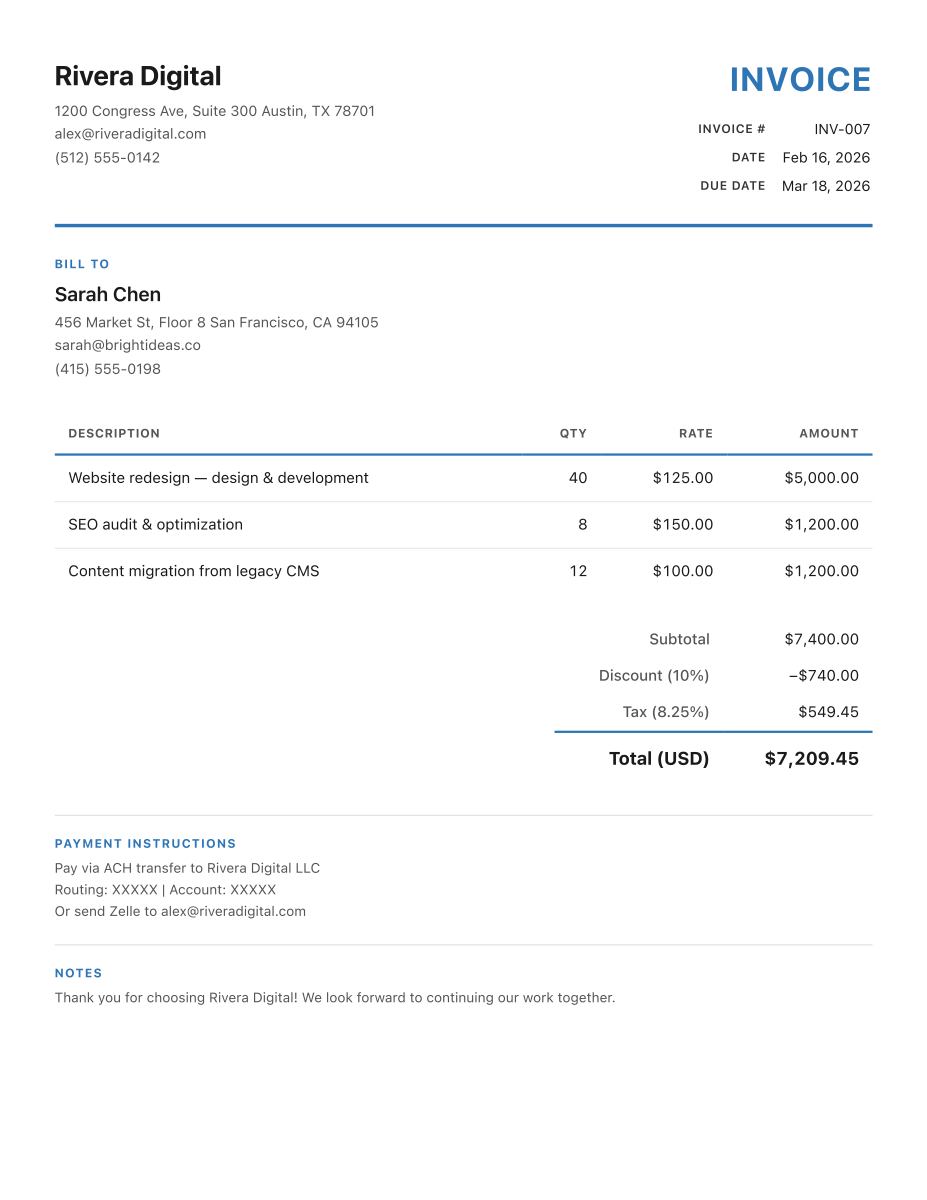
Invoice
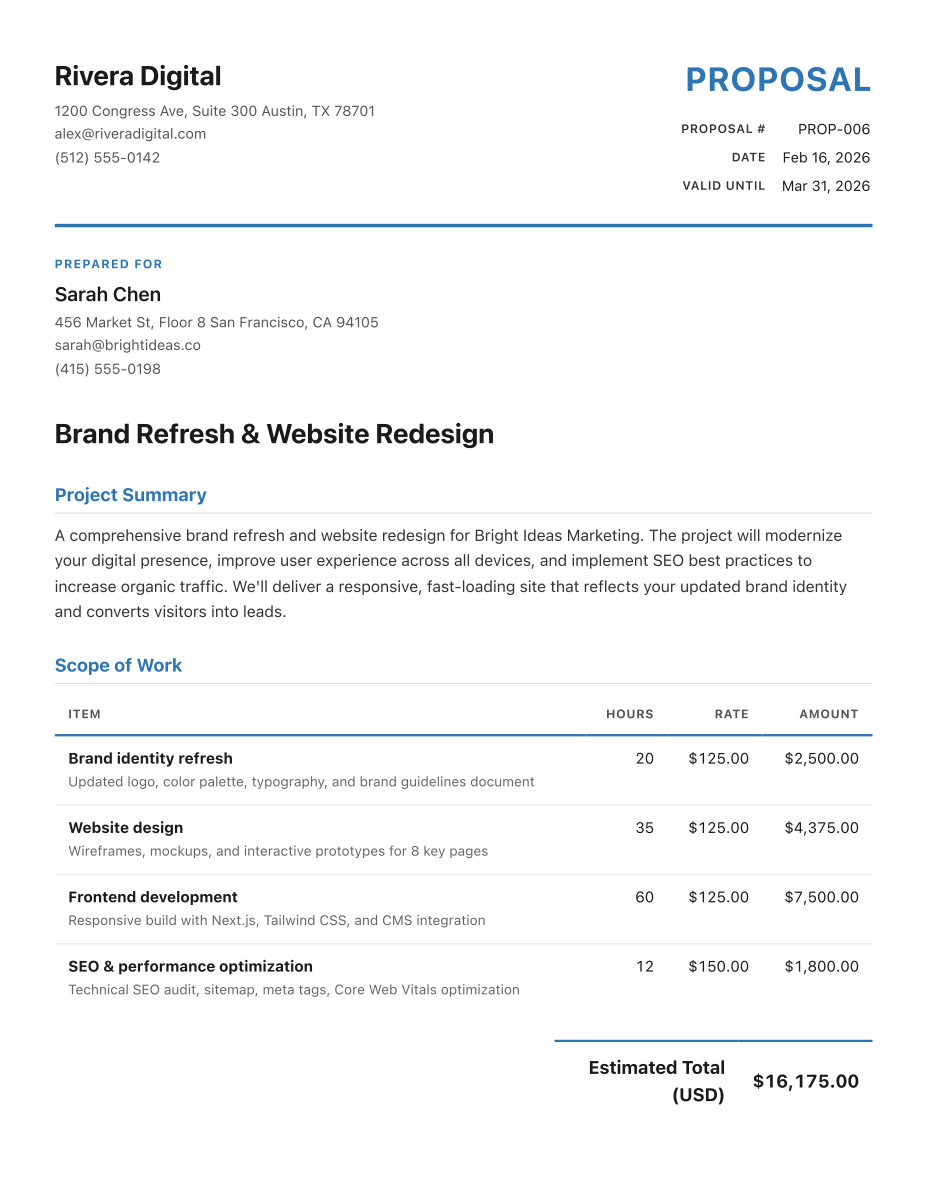
Proposal
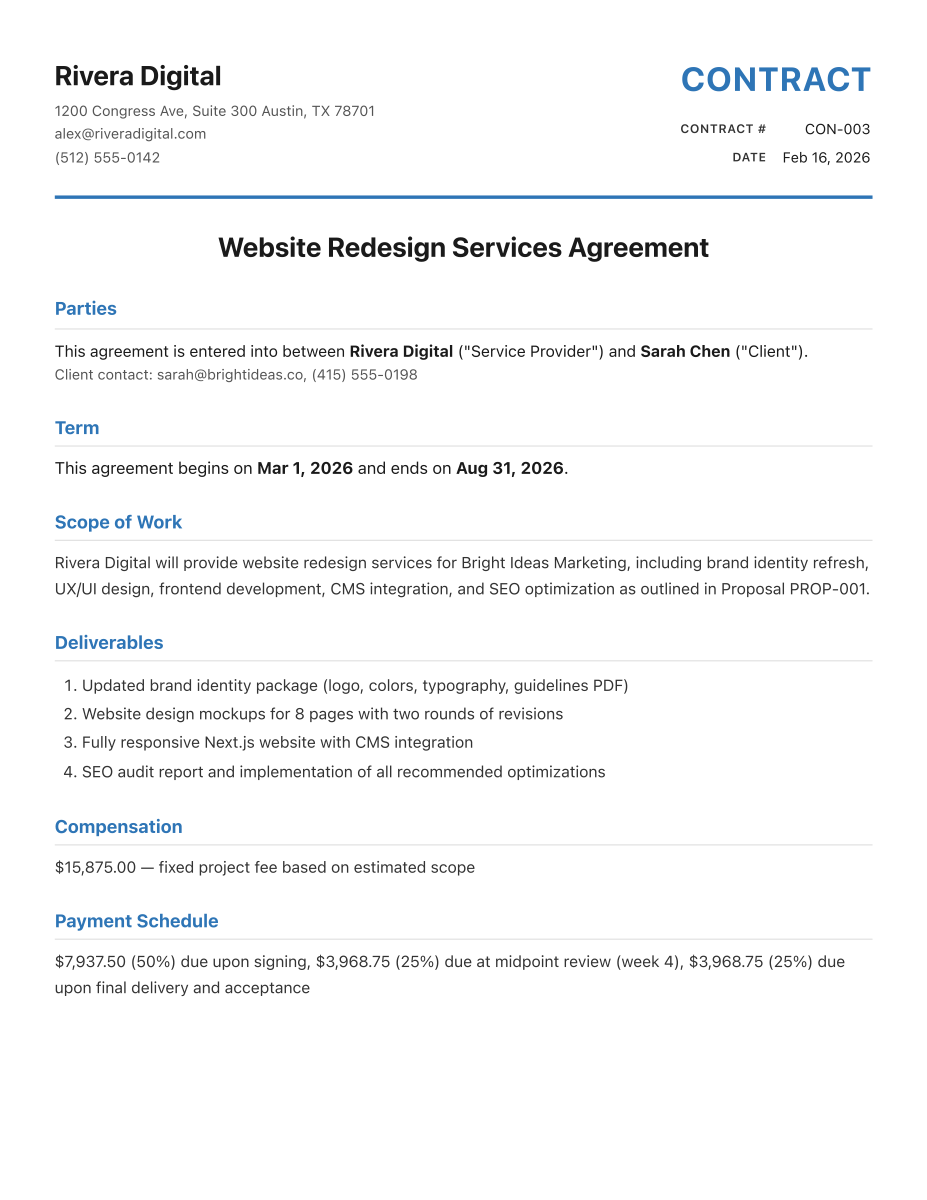
Contract
DocGen MCP gives freelancers a document generation server that lives right in your AI workflow. No app switching. No template hunting. Just ask Claude.
How it works
If you can talk to Claude, you can use DocGen. Install it once, then forget it's there until you need a document.
One npm command adds DocGen to Claude Desktop. Takes about 90 seconds, no coding required.
Tell Claude your business name, address, and rates. It remembers everything for every document you generate.
"Send an invoice to Acme for 10 hours of design work." Claude generates a professional PDF, saved to your machine.
What you get
Every document a freelancer sends, generated from a single conversation.
Line items, tax calculations, payment terms, due dates. Professional PDFs ready to send.
Project scope, deliverables, timeline, and pricing — formatted and ready for the client.
Service agreements with payment schedules, IP terms, and cancellation clauses.
Payment reminders, project check-ins, and milestone updates. Polite, professional, done.
Store client details once. Every document auto-fills their info — no re-typing.
Your name, address, rates, and payment details saved and applied to every document.
Try everything before you pay. No credit card required to start.
Your business data stays on your machine. Nothing goes to the cloud. Nothing leaves your computer.
Sample output
Real PDFs generated by DocGen. Professional enough to send to any client.
Invoice
Proposal
Contract
Pricing
Every feature, every tool, every update. Pick monthly or save with annual.
→ 500 free document generations included. No credit card needed to install and try it.
Installation
Add this to your Claude Desktop config and restart. That's it.
{
  "mcpServers": {
    "docgen": {
      "command": "npx",
      "args": ["docgen-mcp"]
    }
  }
}
Config file location:
Mac: ~/Library/Application Support/Claude/claude_desktop_config.json
Windows: %APPDATA%\Claude\claude_desktop_config.json
Or install globally: npm install -g docgen-mcp
Who's behind this
I'm Daniel — a musician and creative technologist based in Texas.
I built DocGen because I kept watching freelancer friends switch between three different apps just to send an invoice. They were already using Claude for everything else. Why not documents too?
DocGen MCP is the first product from Milo Tools. More are coming — I just like building tools that make people's work and life a little easier.
If something breaks, email me. I'll fix it. That's the whole support model.